Mapping the agent experience
Overview
Customer service agents at Rogers fall into different teams - there’s customer care, telesales, tech support, escalations, etc. As part of my role in supporting the teams that build applications for agents to do their work, I was tasked with mapping out their current suite of tools.
Digital toolsets at a company as large as Rogers are built by many different teams, many of which don’t ever collaborate or confer with one another. As a result, we knew that agents had a large array of tools they had to use in their day-to-day work, and there were likely ways that their workflows could be simplified. The goal was to find opportunities for consolidation, which would both improve the agent experience, as well as cut down on the handle time for support calls (a key metric for agents, and a benefit for customers calling in).
Call listening
You know those “your call may be recorded for quality monitoring purposes” messages you get when you call into a customer service line? That’s where I started from! Watching back customer service calls gave me a lot of background on how many tools agents were jumping between while on calls, as well as giving insights on how their desktops were arranged to accommodate all of those tools. Screenshotting or recording these calls isn’t allowed (for good reason - to protect customer information), so I mocked up some *gorgeous* representations of what I’d typically see on agent screens. This kind of visualization isn’t pretty, but it did help to communicate the current agent experience for those higher up the chain who have never experienced a customer call from the agent point of view.
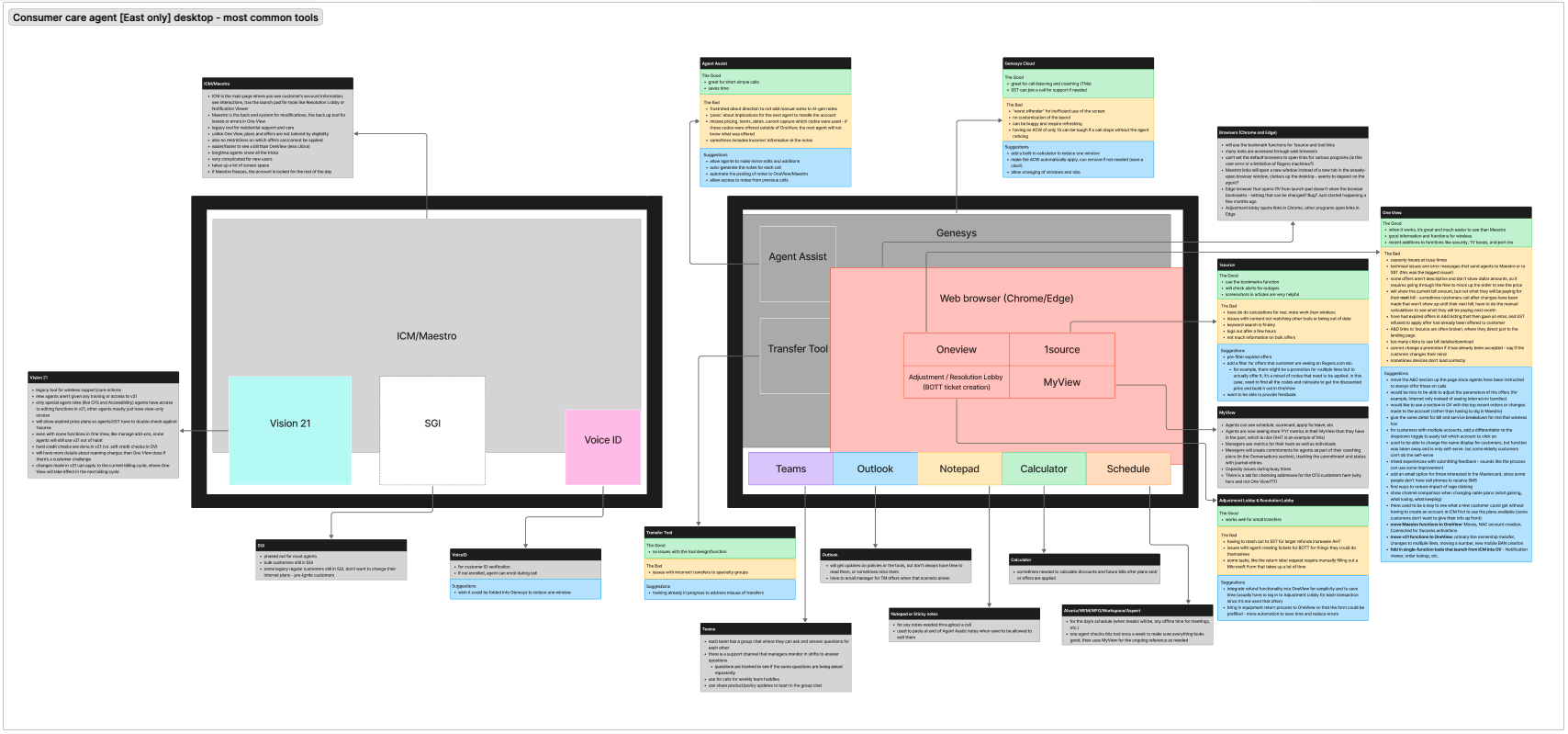
My lovely sketch of the most-used tools on agent screens, showing how cluttered their desktops were in order to complete customer transactions
Interviews
The call listening sessions prompted some ideas for digging in deeper with users, so I conducted around three dozen interviews with team managers, care agents, tech support, back end support, and business customer service to ask them about their current workflows, workaround ‘cheats’ for faster ways of completing their tasks, and resources they and their teams developed themselves to help them complete their work.
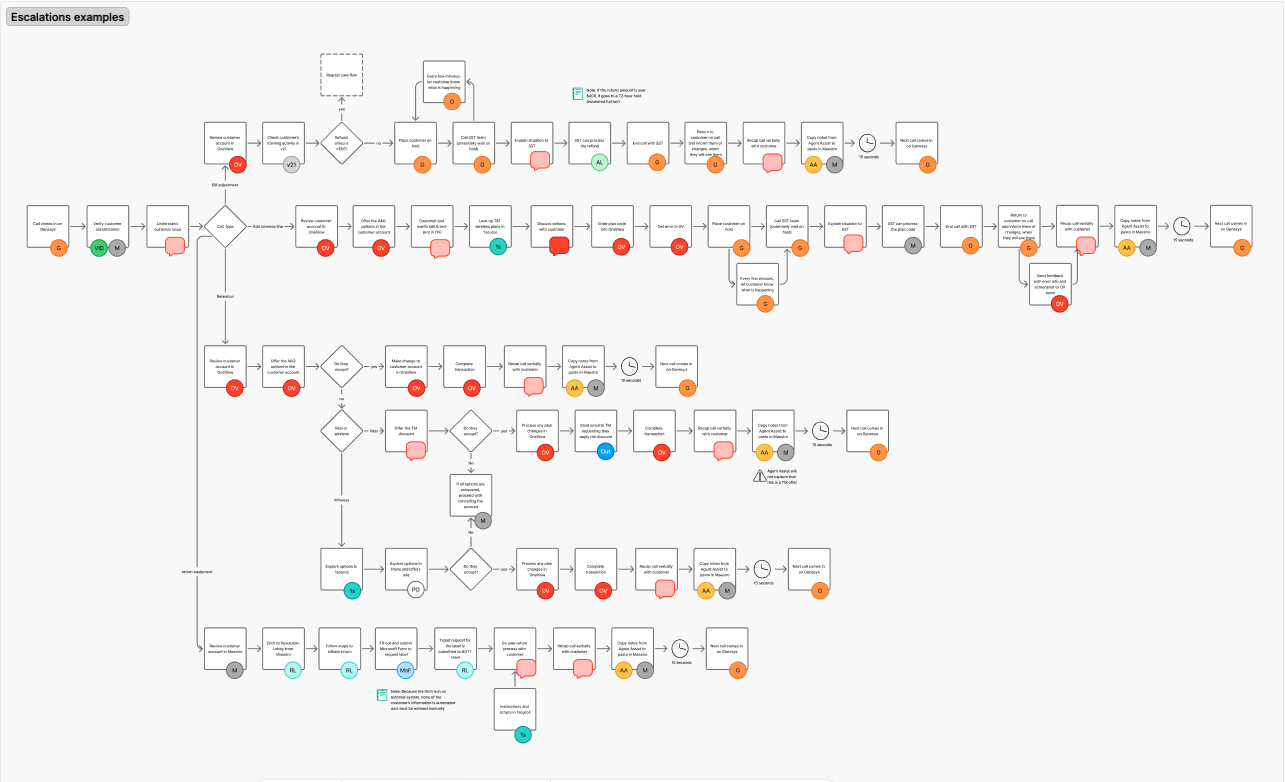
A task flow diagram showing the different tools agents have to jump between while handling customer calls (each tool is shown in a different colour)
These interviews uncovered pain points with the current tools, uncovered some new tools that we didn’t know about, and collected ideas from our end users about what improvements could be made to make their workflows more efficient. After I mapped out the agent feedback, I had some additional interview sessions with several more agents to evaluate my work and catch anything I’d gotten wrong or missed from my earlier conversations with agents, before sharing the results out with the larger team.
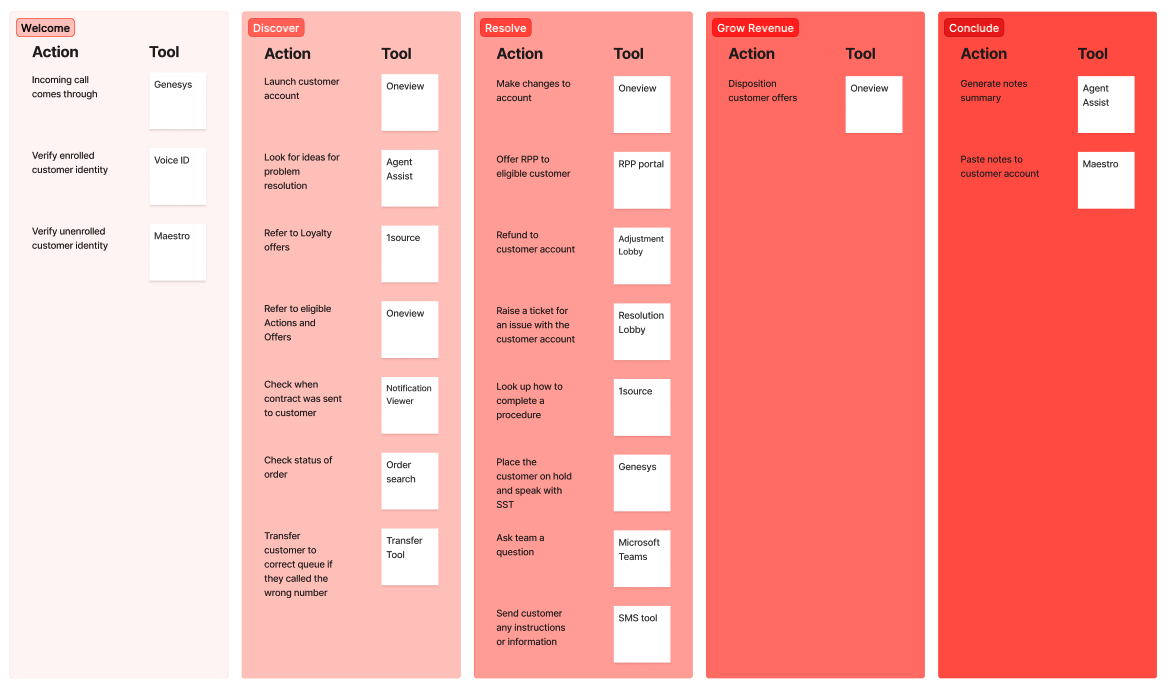
A simplified diagram of the various tools an agent will use throughout the steps of a customer call.
The tool mapping board is now a resource for the internal tools design team that they can reference as needed when looking into agent workflows.
“[Meg] consistently uncovered insights that helped shape our UX direction, but what really set her apart was her ability to be thoughtful in her approach while moving quickly and never getting stuck in analysis paralysis”
Reviewing and planning
After this primary research was complete, I regrouped with my team, as well as the managers of the other digital teams for assisted tools at Rogers to map out the opportunities that were uncovered in this research work. We went through an effort/impact mapping exercise to prioritize what steps to take first to improve agent workflows.
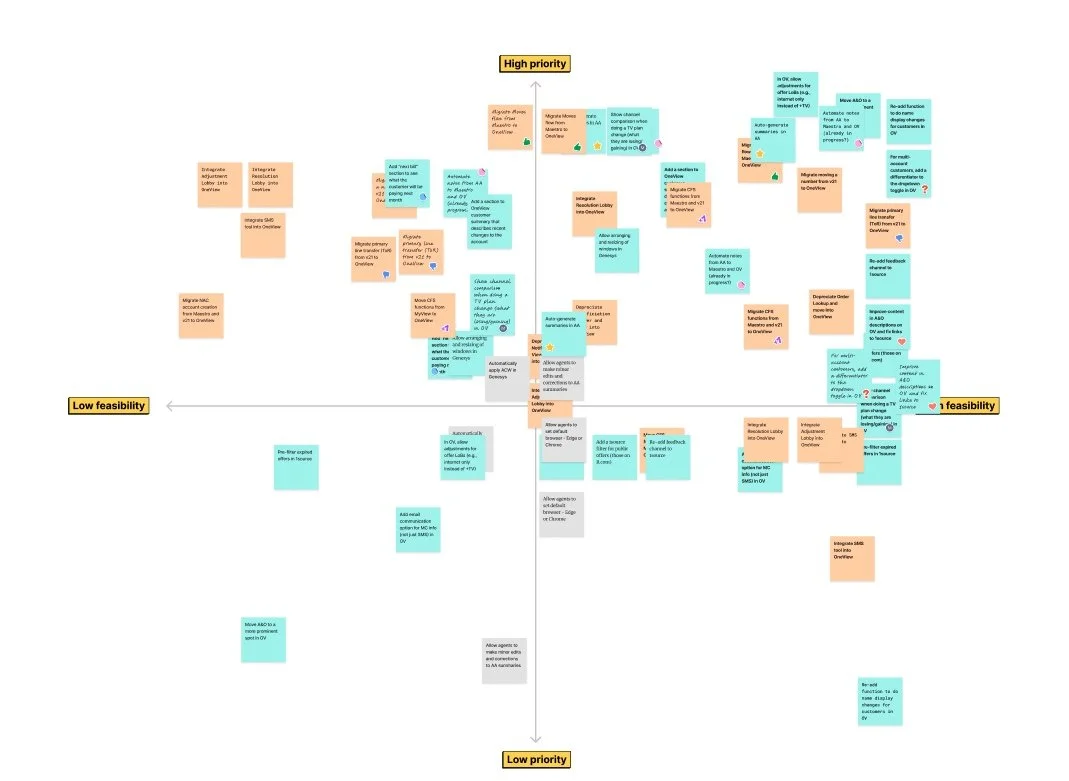
Our prioritization exercise
Outcomes
One of the recommendations from this work - to bring one of the agent tools into a standalone tool rather than having it buried inside of another tool - was recently implemented for agents. While the high-level goal of this project was to look for opportunities to have less standalone tools, this use-case proved to be the one exception where having the tool in its own window would actually improve the agent workflow.
The gears of change work slowly at large corporations like Rogers, so while some of the other changes recommended from this work are currently in progress, others will not be implemented for several years. This is an ongoing project at Rogers, which I handed off to another UXR when my contract came to an end.